

| Bookmark Name | Actions |
|---|
Customer Assist
Use the feature to perform specific actions in the selected customer's online banking account on behalf of the customer when requested. Customer's consent is required to use this feature. Currently, a flag is maintained in the admin database which is updated manually upon receiving the written consent from the user and the CSR (Customer Service Representative) Assist option is made available for that particular user. The administrator can bypass the login page and sign in to the customer's retail banking account (online banking) directly. All the actions performed in the online banking app are logged for audit.
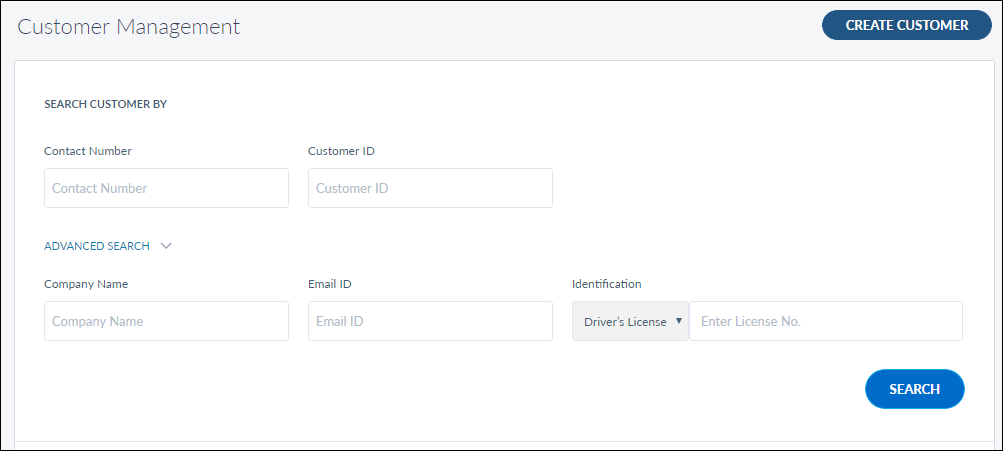
You can launch CSR assist from Customer Management > Customers. Search for the required customer and view the customer's profile.
The CSR assist option is available only for those CSR/administrators who have the required permission.
The CSR assist cannot be launched for locked or suspended accounts. The app displays a message, "Disabled as the customer is new/locked/suspended/has not consented".
The CSR Assist feature works like this:
| Role of employee | Role of DB Administrator | Condition | Role of CSR/Administrator | Screen |
|---|---|---|---|---|
| Did not consent for CSR assist |
No action |
CSR/Admin does not have permission | Launch CSR Assist button is hidden. No action | Not applicable |
|
CSR/Admin has permission |
Launch CSR Assist button is visible on the Customer Management screen, but disabled and not clickable |
|
||
| Gives written consent for CSR assist | Enables the flag manually in the admin database | CSR/Admin does not have permission |
Launch CSR Assist button is hidden. No action |
Not applicable |
| CSR/Admin has permission | Launch CSR Assist button is visible and enabled on the Customer Management screen. The administrator can click and update the details |
|
When an administrator launches the CSR Assist feature, the browser shows the pop-up blocker notification if the blocker is ON. Disable the pop-up blocker to proceed further. The Admin window will never timeout if the CSR Assist window is up and running.
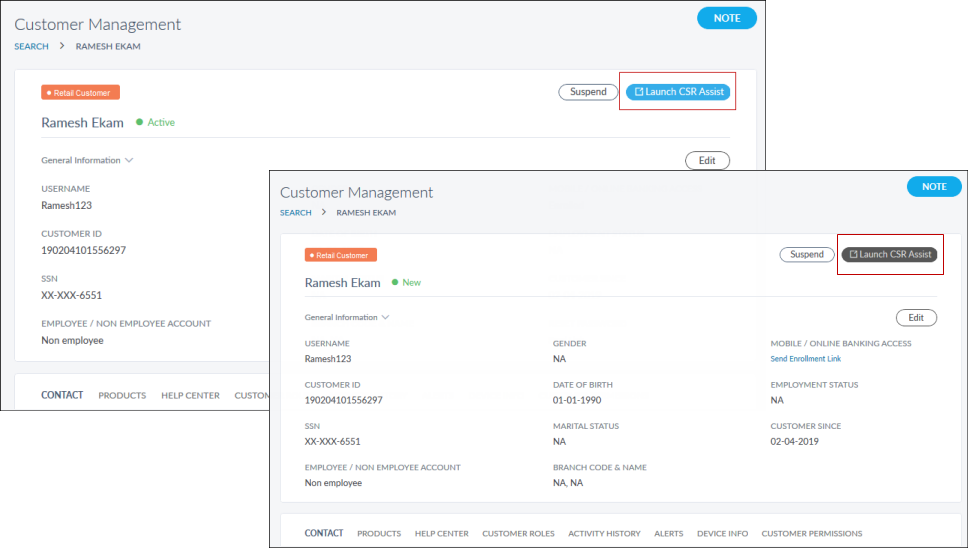
Click Launch CSR Assist. The app redirects to the online banking application. As an administrator, you can perform the following actions on behalf of the customer, depending on the level of access permissions assigned to you:
- Dispute a specific transaction on behalf of the user.
- Internal account-to-account transfer (to a saved recipient).
- Transfer to someone else's account in the same bank (to a saved recipient).
- Transfer to an account in another domestic bank (to a saved recipient).
- Transfer to an account in another international bank (to a saved recipient).
- Wire transfer (to a saved recipient).
- Pay a single bill to saved payee.
- Pay multiple bills saved payees.
- Activate or deactivate e-Bill feature for a specific biller.
- Stop a check payment (single/series of check).
- Send money (P2P) to a saved payee.
- Payoff the loan.
All the business rules which apply to the customer are automatically applied to the administrator who launches the CSR assist feature. For any functionality which is out of scope of the CSR assist feature, the administrator can view the functionality but cannot perform any actions on it.
Add Bookmark
save your best linksView Bookmarks
Visit your best links BACK
BACK


Are you sure you want to log-off?